

Turn user feedback into
shippable issues
User feedback arrives vague, missing key details and requiring endless back-and-forth. Flowback asks the right questions the first time.
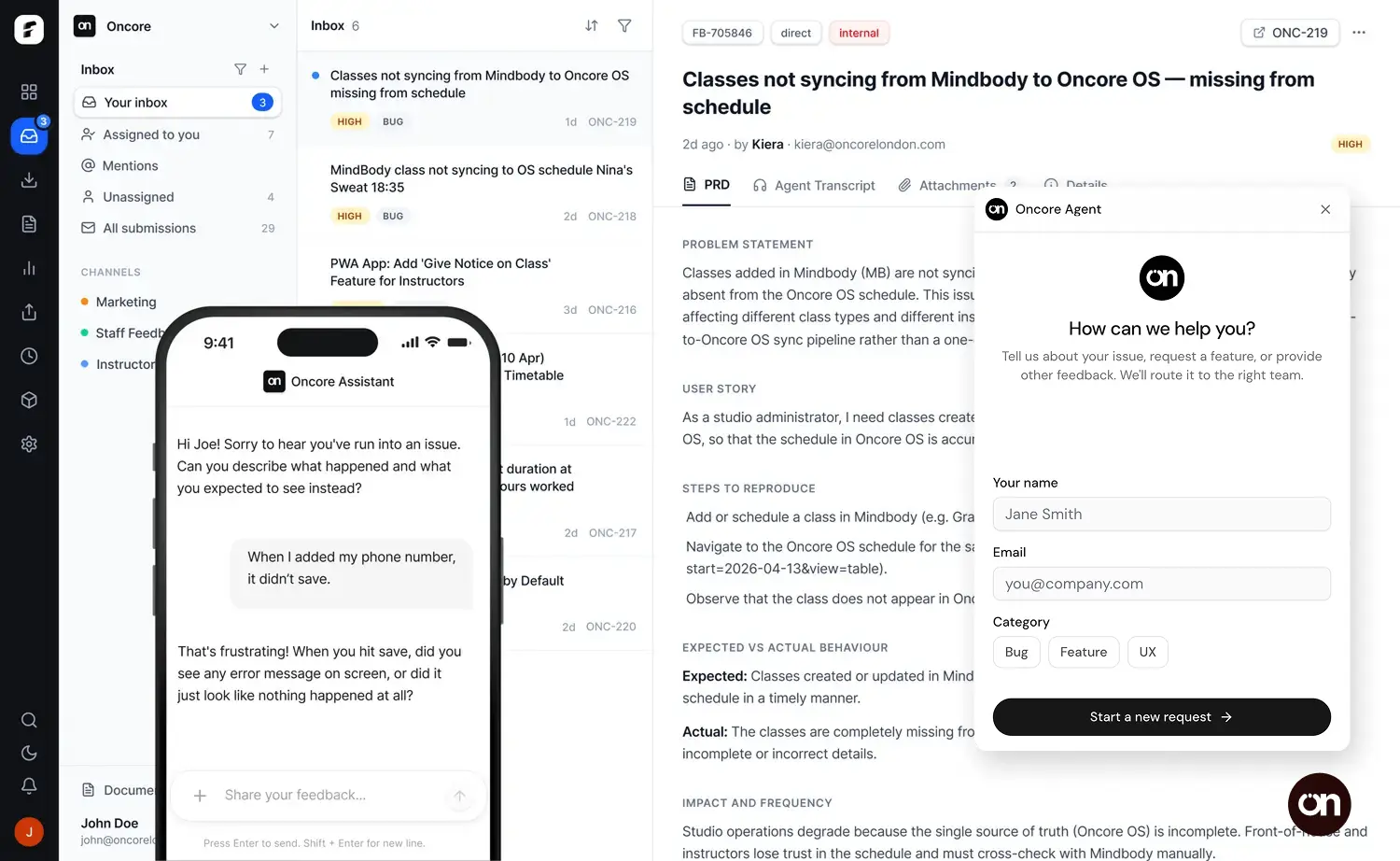
Provide your customers or team with a dedicated AI agent to collect feedback on your behalf. No more fixed forms, vague support emails or half drafted issues leaving you with questions.
Works with




Feedback that drives action
Enjoy spec-ready issues that you can build and ship fast. Connect via MCP or use our Inbox and boards to view, track and deliver in real-time.


Everything you need to close the feedback loop.
Feedback Channels.
One link for each audience. Public or private. Internal or external.
Team Portals.
Give your team or customers visibility without needing access.
Slack Notifications.
Real-time alerts when feedback arrives. One-click triage.Flowback MCP.
Connect your AI agents and access your Flowback data securely.Smart Prioritization.
AI assigns priority based on impact and urgency.Trusted by product builders
Flowback was born out of necessity. There's only so many times you can ask the same questions.
We built Flowback because we were drowning in feedback lacking detail, from multiple channels like Slack, email and WhatsApp. Slowing us down and wasting hours each week with follow up conversations.
Ryan Crabbe, Founder
Flowback
Since switching to Flowback, we've completely removed chasing the team for additional information. Issues arrive ready to ship with detail we never had before.
Kiera M, Co-Founder
Oncore OS
Flowback has made feedback collection much higher quality and freed up our team to focus on delivery not unblocking issues.
Matt Thorne, Founder
DevClocked
Pricing
Start collecting clearer feedback today. Upgrade as you grow.
Prices in GBP. VAT shown at checkout.
Start-up
£39/month
Engage customers, ship faster
AI feedback capture
Up to 5 channels
50 submissions/month
GitHub, Slack, Sentry & PostHog
Linear & Jira integrations
Email support
Best value
Team
£99/month
For growing teams
Everything in Start-up
Unlimited users
Up to 10 channels
120 submissions/month
Auto-split & priority rules
Priority support
Business
£199/month
Built for scale
Everything in Team
Unlimited channels
200 submissions/month
Team Portal
Team training
Solo builder? Start here
Got Questions?
If you can't find what you're looking for, get in touch.